Every music producer and bedroom beatmaker knows the ultimate struggle: you have produced an absolute masterpiece of an instrumental track, but you do not have a professional singer to record the vocals. Hiring a session vocalist can cost hundreds of dollars, and dealing with royalty splits is always a headache. But what if you could sing the song yourself, even if you are a terrible singer, and magically transform your voice into a studio-grade pop star?
If you read our ultimate guide on the 5 best AI music tools 2026, you already know that voice synthesis technology is taking the industry by storm. Today, we are focusing entirely on the platform that is changing the vocal game forever.
Welcome to our complete Kits AI voice cloning tutorial 2026. In this in-depth guide, we will show you exactly how to use this powerful platform to access royalty-free virtual singers, change your vocal tone completely, and even train a custom AI model of your own voice.
What is Kits AI and Why Do Producers Need It?
Before diving into the steps of this Kits AI voice cloning tutorial 2026, let’s understand why this tool is a massive breakthrough for the DJRM Music community.
Kits AI is an advanced AI vocal generation and voice cloning platform built specifically for musicians and audio creators. Unlike basic text-to-speech tools that sound like robots, Kits AI understands musical pitch, vibrato, breathing, and human emotion.
5 Best AI Songwriting Tools 2026: The Ultimate Creative Guide
In 2026, Kits AI officially partnered with real-world artists, offering a massive library of legally licensed, royalty-free voices. This means you can use their AI singers on your tracks and legally distribute them to Spotify and Apple Music without facing any copyright strikes!
Step-by-Step Kits AI Voice Cloning Tutorial 2026
You do not need an engineering degree to clone a voice. By following this simple Kits AI voice cloning tutorial 2026, you can transform your raw, unedited vocals into a radio-ready performance in just a few clicks.
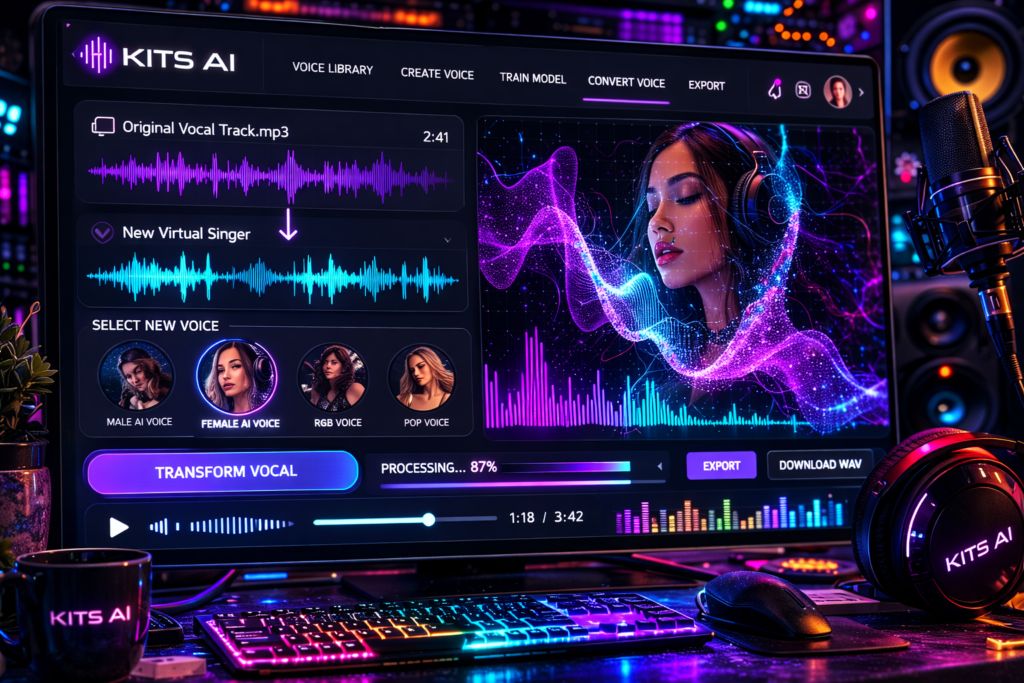
Step 1: Create an Account and Browse the Voice Library
Head over to the official Kits AI website and create a free account. Once you are on the main dashboard, you will see the “Voice Library.”
Here, you can browse through hundreds of virtual singers. You can filter them by genre (Pop, EDM, R&B, Hip-Hop) or by vocal style (Raspy, Airy, Powerful). Spend some time listening to the previews to find the perfect voice that fits your instrumental track.
Step 2: Upload Your Raw Vocal Audio
This is the core of our Kits AI voice cloning tutorial 2026. To make the AI sing, you need to provide a “guide” track.
-
Record yourself singing the lyrics in the correct rhythm and melody. Do not worry if you hit the wrong notes or if your voice cracks; the AI will fix a lot of it!
-
Click on your chosen AI voice and hit “Convert.”
-
Upload your raw vocal audio file (WAV or MP3).
If you want to use an acapella from a famous song as your guide track, you first need to extract the vocals using our LALAL AI Vocal Remover Tutorial 2026
Step 3: Adjust Pitch and Conversion Settings
Before you hit generate, Kits AI gives you advanced control.
-
Pitch Shift: If you are a male singing a guide track for a female AI voice, you might want to pitch your vocal up by +12 semitones (one full octave) so the AI singer hits the high notes perfectly.
-
Conversion Strength: A higher strength means the AI will sound more like the target virtual singer and less like your original raw recording.
Credited By: Kits AI
Step 4: The Magic of Voice Cloning (Train Your Own AI)
While using pre-made voices is great, the most highly searched feature in any Kits AI voice cloning tutorial 2026 is the custom voice training. What if you want to clone your own voice so you can produce songs without ever stepping into a vocal booth again?
-
Go to the “Train a Voice” section on the Kits AI dashboard.
-
You will need to upload about 10 to 15 minutes of high-quality, dry (no reverb or autotune) vocal recordings of yourself singing or talking.
-
Click “Start Training.” The AI will take a few hours to process your data.
-
Once finished, you now possess a digital clone of your own voice! You can feed it any melody, and your AI clone will sing it perfectly.
How the Music Industry Uses Kits AI in 2026
You might be asking, after reading this Kits AI voice cloning tutorial 2026, who is actually using this technology in the real world?
-
Anonymous Artists: Many successful EDM and Lo-Fi producers on Spotify never reveal their real faces or voices. They use Kits AI to create a consistent, branded virtual singer for all their albums.
-
Demo Pitching: Songwriters who write tracks for huge pop stars often use Kits AI to change their voice into a female pop vocal, making it easier to pitch the demo to major record labels.
-
Genre Bending: A rapper can instantly turn their hip-hop verse into a melodramatic opera choir just by selecting a different voice model.
Pricing: Is Kits AI Free for Commercial Use?
Every Kits AI voice cloning tutorial 2026 must address the commercial licensing aspect.
Kits AI offers a generous free tier that gives you audio conversion minutes to test the platform. However, free users do not get commercial rights. If you want to upload your AI-generated vocals to YouTube (and monetize it) or Spotify, you must upgrade to a Creator or Pro paid subscription.
Once you are on a paid plan, the royalty-free voices in the Kits library are 100% yours to monetize!
Conclusion: Become a Vocal Powerhouse
The barrier to entry for professional vocal production has officially been destroyed. As we have seen in this comprehensive Kits AI voice cloning tutorial 2026, you no longer need expensive studio gear or a network of professional singers to finish your tracks.
By utilizing Kits AI, you can legally access world-class vocalists, clone your own unique tone, and bend audio to fit your exact creative vision. Combine this with the music generation power of Suno AI , and you become a one-person record label.
Have you tried cloning your voice after reading this Kits AI voice cloning tutorial 2026? Did the AI sound exactly like you? Drop your thoughts and experiences in the comments below!
Frequently Asked Questions (FAQs)
Q1. Is it legal to clone a famous celebrity’s voice using Kits AI?
A1. Kits AI strictly prohibits the unauthorized cloning of famous artists without their explicit permission. The platform is designed for you to use their officially licensed royalty-free voices or to clone your own personal voice legally.
Q2. Does this Kits AI voice cloning tutorial 2026 apply to podcasting as well?
A2. Absolutely! While Kits AI is built for singing and musical pitch, you can easily train a custom model of your talking voice and use it to generate voiceovers for YouTube videos and podcasts.
Q3. Do I need an expensive microphone to train my custom AI voice?
A3. To get the best results when training a custom voice clone, you should use a decent condenser microphone in a quiet room. If your training data has background noise, echo, or distortion, your AI clone will also sound distorted.
Q4. Can Kits AI fix my bad singing automatically?
A4. Kits AI is a voice converter, not an automatic pitch corrector. If your original guide track is heavily out of tune, the AI output might also sound out of tune. It is best to apply basic autotune to your raw vocal before uploading it to Kits AI for the best results.
Q5. Can I use Kits AI offline in my DAW like FL Studio or Ableton?
A5. As of 2026, Kits AI operates primarily on their fast cloud servers via the web browser to handle the heavy neural network processing. However, they do offer integration tools and VST beta plugins for seamless DAW workflows.
MNLWinPH Login…okay, here we go. Praying for a smooth login process and some fat wins. Let’s get this bread guys! Login here mnlwinphlogin.