If you are a club DJ, a mashup artist, or a music producer, you know the biggest struggle in the industry: finding high-quality, studio-grade acapellas (isolated vocals) of popular hit songs. In the past, extracting vocals from a fully mixed and mastered track was nearly impossible. It left behind a robotic, underwater sound that ruined your DJ sets. But thanks to artificial intelligence, the game has changed forever.
In our previous mega-guide about the 5 best AI music tools 2026 , we discussed how generative AI is taking over the audio world. While tools like Suno AI let you create music from scratch, what if you want to remix an already existing famous song?
Welcome to our ultimate LALAL AI vocal remover tutorial 2026. In this comprehensive guide, we are going to show you exactly how to use the world’s most powerful AI stem splitter to extract crystal-clear vocals, heavy drums, and deep basslines for your next viral DJ remix.
What is LALAL.AI and Why is it the Best in 2026?
Before we jump into the steps of this LALAL AI vocal remover tutorial 2026, let’s understand why professionals are abandoning older methods and switching to this specific platform.
LALAL.AI is a next-generation vocal remover and music source separation service. In 2026, they upgraded their core technology to the Orion AI Neural Network. Unlike basic EQ tricks that just mute the middle frequencies, the Orion AI has been trained on millions of studio tracks. It mathematically understands what a human voice looks like in an audio file and precisely “pulls” it out without damaging the instrumental background.
When you search for a LALAL AI vocal remover tutorial 2026, you are looking for perfection. This tool gives you zero bleeding (hearing the drum beat in the vocal track) and zero digital artifacts, making it the absolute best choice for the DJRM Music community.
Step-by-Step LALAL AI Vocal Remover Tutorial 2026
Extracting stems is no longer a complex 5-hour task in FL Studio or Ableton. By following this simple LALAL AI vocal remover tutorial 2026, you can get studio-quality acapellas in less than 60 seconds.
Step 1: Access the Platform and Upload Your Track
First, open your web browser and go to the official LALAL.AI website. You do not need to download any heavy software; the entire AI processing happens on their lightning-fast cloud servers.
Click on the “Select Files” button. You can upload an MP3, WAV, FLAC, or even an MP4 video file.
Pro DJ Tip: Always try to upload a lossless WAV or FLAC file for the absolute best extraction results.
Step 2: Choose Your Desired Stem (Vocal, Drums, Bass)
This is a very crucial part of our LALAL AI vocal remover tutorial 2026. LALAL.AI does not just remove vocals; it is a complete stem separator.
Above the upload button, you will see a “Stem” selection dropdown. By default, it is set to “Vocal and Instrumental.” However, if you are a producer looking to sample a specific instrument, you can choose to extract:
-
Drums only (Perfect for making custom drum loops)
-
Bass only (Great for EDM and House music producers)
-
Electric Guitar, Acoustic Guitar, Piano, or Synthesizer.
Select the stem you want to extract before the file finishes uploading.
Step 3: Let the Orion AI Network Process the Audio
Once your track is uploaded, the powerful AI kicks in. In this step of the LALAL AI vocal remover tutorial 2026, you don’t have to do anything but wait for 15 to 30 seconds.
The AI scans the entire frequency spectrum of your song, identifies the lead vocal, the backing vocals, and the instrumental beat, and cleanly slices them apart using its advanced algorithms.
Step 4: Preview, Adjust, and Download
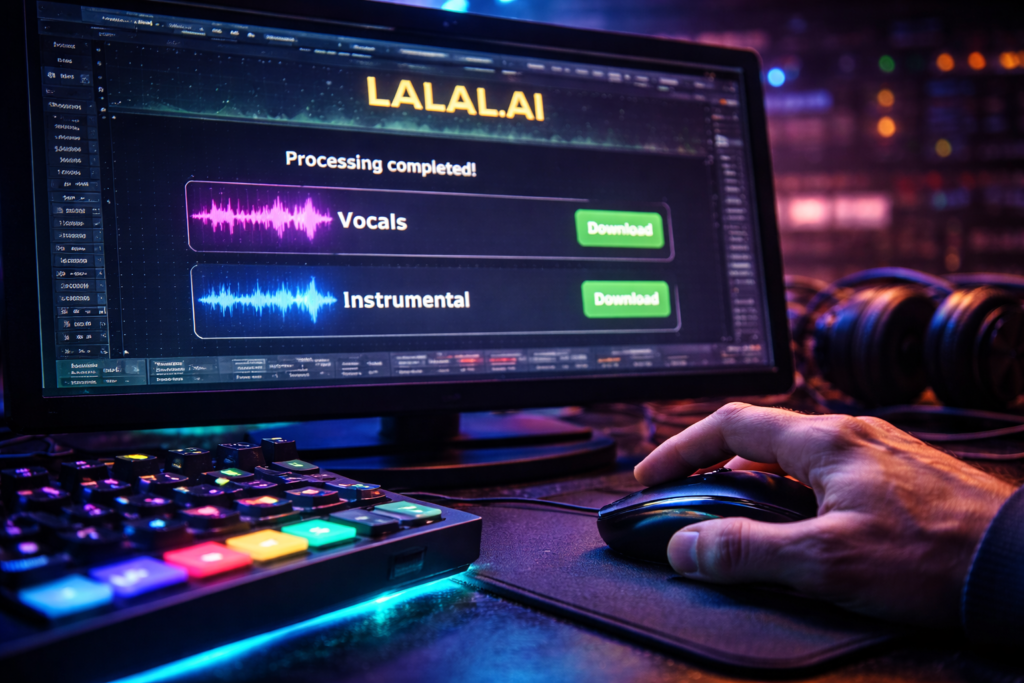
After the processing is complete, LALAL.AI will present you with two separate audio players on the screen. One will play the isolated Acapella (Vocals), and the other will play the pure Instrumental track.
Hit the play button to preview the high-fidelity quality. If you are satisfied, simply click the “Process the Entire File” button to generate the full-length tracks. You can then download them directly to your hard drive and drop them straight into your DJ software like Serato, Rekordbox, or Virtual DJ!
How DJs and Producers Are Using LALAL AI in 2026
You might be wondering, after reading this LALAL AI vocal remover tutorial 2026, what can you actually do with these extracted files?
-
Creating Viral Mashups: Take the extracted vocals of a classic 90s pop song and layer them over a modern 2026 Tech-House beat. This is the exact formula top club DJs use to make crowd-pleasing bootlegs.
-
Making Karaoke Tracks: If you love singing, you can upload any song, remove the vocals, and download the instrumental to create your own high-quality karaoke cover for YouTube.
-
Podcast Audio Cleanup: If you recorded a podcast in a noisy environment, LALAL.AI’s voice cleaner feature can remove background music, wind noise, and echo, leaving only your crystal-clear voice.
If you are also interested in creating completely original AI songs to use in your DJ sets, check out our Suno AI Tutorial 2026 here!
Pricing: Is the best AI vocal remover free?
A complete LALAL AI vocal remover tutorial 2026 would be incomplete without discussing the cost.
LALAL.AI offers a free trial mode that allows you to upload short files and listen to the preview of the separated stems. However, to download the full-length audio in high quality, you will need to purchase a one-time credit pack.
Unlike other software that forces you into expensive monthly subscriptions, LALAL.AI lets you buy “minutes.” For example, buying a 90-minute pack allows you to process exactly 90 minutes of audio, which is highly cost-effective for independent DJs and producers.
Conclusion: Elevate Your Remix Game
Gone are the days of searching shady websites for low-quality acapellas. As we have demonstrated in this LALAL AI vocal remover tutorial 2026, the power to isolate any instrument or voice from a fully mastered song is now literally at your fingertips.
By using the advanced Orion AI technology, you can elevate your music production, create mind-blowing live DJ mashups, and clean up messy audio files in seconds. The audio revolution of 2026 is moving fast, and utilizing these AI tools is the key to staying ahead in the music industry.
Have you successfully extracted an acapella using the steps in this LALAL AI vocal remover tutorial 2026? What crazy DJ mashup are you planning to create? Let us know in the comments below!
Frequently Asked Questions (FAQs)
Q1. Is the LALAL AI vocal remover tutorial 2026 applicable for both Mac and Windows?
A1. Yes! LALAL.AI is a completely cloud-based web application. You do not need to install anything. It works perfectly on any browser across Windows, macOS, Linux, and even mobile devices.
Q2. Does LALAL.AI reduce the audio quality of the extracted vocals?
A2. No. Thanks to the 2026 Orion AI update, LALAL.AI extracts vocals with near-lossless studio quality. It does not compress your audio heavily like older, outdated vocal removers used to do.
Q3. Can I use this LALAL AI vocal remover tutorial 2026 to extract just the drums for my beats?
A3. Absolutely! LALAL.AI is not just for vocals. You can select the “Drums” stem option before processing, and the AI will completely isolate the kick, snare, and hi-hats, giving you a clean drum loop to sample.
Q4. Are the acapellas extracted using LALAL AI copyright-free?
A4. Extracting the vocals does not change the original copyright ownership of the song. If you extract a Drake or Taylor Swift vocal, they still own the copyright to that performance. You can use it for live DJ sets, but you cannot monetize it on Spotify without official clearance.
Q5. How is LALAL.AI different from the stem separation built into DJ software like Serato or Rekordbox?
A5. While live DJ software offers real-time stem separation, it has to process the audio instantly, which often results in a lower-quality, slightly muddy sound. LALAL.AI processes the audio on massive supercomputers in the cloud, resulting in a much cleaner, studio-perfect extraction.
1 thought on “LALAL AI Vocal Remover Tutorial 2026: Extract Perfect Acapellas Instantly”